Best Laptop Stands for Better Posture (2026)
Laptop stands Wirecutter, WIRED, Tom's Guide and TechGearLab recommend for eye-level screens, from the adjustable iLevel 2 to a tiny travel stand.
Quick answer: my top pick is the Rain Design iLevel 2 (best overall). Wirecutter's top pick after testing 20 stands.
- Best fixed-height: Rain Design mStand
- Best for sit-stand desks: Lifelong Upryze Ergonomic Laptop Stand
- Best for travel: Tonmom Laptop Stand
Disclosure: I may earn a commission when you buy through links on this page, at no extra cost to you. As an Amazon Associate I earn from qualifying purchases. Picks are based on published research, not hands-on testing. Read my affiliate disclosure.
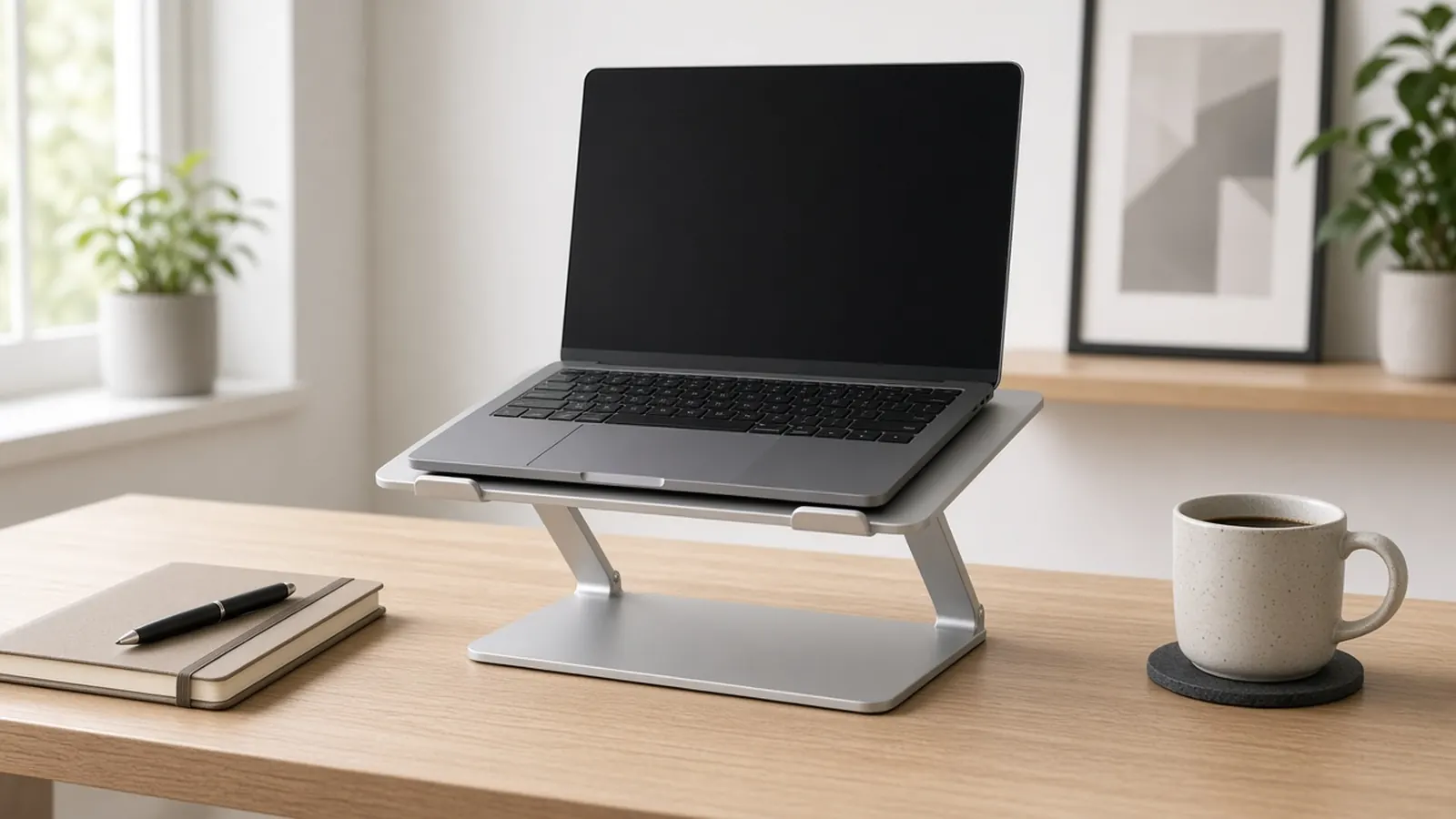
At a glance
| Product | Height | Adjustable | Portable | Price at Amazon |
|---|---|---|---|---|
| Rain Design iLevel 2Best overall | About 6.5–8.5 in at the back | Yes (slider knob) | No | Check price for Rain Design iLevel 2 |
| Rain Design mStandBest fixed-height | About 6 in at the back (fixed) | No | No | Check price for Rain Design mStand |
| Lifelong Upryze Ergonomic Laptop StandBest for sit-stand desks | Up to about 17 in (per Wirecutter) | Yes (hinged arms) | Folds, 4.6 lb | Check price for Lifelong Upryze Ergonomic Laptop Stand |
| Tonmom Laptop StandBest for travel | About 4–7 in | Yes (7 settings) | Yes, about 0.5 lb | Check price for Tonmom Laptop Stand |
Prices aren't shown because they change often; “Check price” opens the current listing. Availability and shipping vary by region; links go to US stores.
The short answer
For most desks, get the Rain Design iLevel 2. It’s Wirecutter’s top pick after 20 stands tested: solid aluminum, with a slider knob that makes it the easiest stand to adjust. If one fixed height works for you, the Rain Design mStand is simpler and cheaper, and a Wirecutter writer who has used one since 2016 says it still looks new. For a sit-stand desk, the Lifelong Upryze reaches about 17 inches. If you work from cafés or the office, the half-pound Tonmom folds into a stick that fits in a laptop bag.
How I picked
I did not test these stands myself. I compared Wirecutter’s laptop stand guide and its iLevel 2 long-term note, plus galleries and rankings from WIRED, Reviewed, Tom’s Guide and TechGearLab. I kept one pick for easy height adjustment, one fixed desk stand, one tall sit-stand option and one travel fold-up.
Specs I compared (from this page)
| Pick | Height | Adjustable | Portable |
|---|---|---|---|
| Rain Design iLevel 2 | About 6.5–8.5 in at the back | Yes (slider knob) | No |
| Rain Design mStand | About 6 in at the back (fixed) | No | No |
| Lifelong Upryze | Up to about 17 in (per Wirecutter) | Yes (hinged arms) | Folds, 4.6 lb |
| Tonmom | About 4–7 in | Yes (7 settings) | Yes, about 0.5 lb |
Figures above come from the product specs already listed on this page.
What to look for
- Height first. Measure the lift you need before you buy. The iLevel 2 tops out around 8.5 in, the mStand is fixed at about 6 in, and tall fold-up stands like the Upryze reach much higher.
- Adjustability. It matters if you switch between sitting and standing or share the desk. Stiff hinges (Upryze) are sturdy but tiring to adjust often. Tom’s Guide points out that the iLevel 2 raises height and angle together, so you can’t set them independently, and that typing on the laptop at its highest setting felt too bouncy. TechGearLab ranks the fixed mStand first but flags that it can’t adjust or fold.
- Stability. It shouldn’t bounce while you type nearby. Reviewed.com noticed some bob on the iLevel 2 with a light MacBook Air, while Wirecutter found it steady across laptops.
- Laptop size. Most stands handle 11–15 in laptops comfortably. Wirecutter notes that 17-inch laptops are too big for most stands.
- Cable management and cooling. Aluminum stands with an open back or cable hole (iLevel 2, mStand) help with heat and keep cords tidy.
Complete the setup
A raised laptop needs a separate keyboard and mouse. See my ergonomic keyboards for wrist pain and ergonomic mice for wrist pain. If you’re adding a full-size screen, look at my monitor arms for dual monitors, and keep your feet supported with an under-desk footrest.
Want better video than the built-in camera? Compare my webcams for home office.
My picks in detail
1. Rain Design iLevel 2
by Rain Design
- Height
- About 6.5–8.5 in at the back
- Adjustable
- Yes (slider knob)
- Portable
- No
Wirecutter's top pick after testing 20 stands. You slide a front knob to tilt the anodized aluminum platform, raising the back of a laptop from about 6.5 to 8.5 inches. Wirecutter found it the easiest stand to adjust and steady with 11- to 15-inch laptops. Its editor-in-chief has used one since 2020.
- Easiest height adjustment Wirecutter tested
- Solid aluminum, and the front hinge keeps it from tipping backward
- Open back hides cables
- 8.5 in max height may be too low for standing
- Doesn't fold, so it isn't portable
- Reviewed.com saw some bounce with a light MacBook Air when typing on an external keyboard
Opens Amazon in a new tab. Price and stock can change. Availability and shipping vary by region; links go to US stores.
2. Rain Design mStand
by Rain Design
- Height
- About 6 in at the back (fixed)
- Adjustable
- No
- Portable
- No
Wirecutter's budget pick. It's a one-piece aluminum stand with a fixed lift of about 6 inches, a cable hole in the back and room underneath to stash a keyboard. One Wirecutter writer has used it since 2016 and says it shows no signs of wear.
- One-piece build that wobbles less than cheap stands
- Cable hole and keyboard nook
- Many colors to match a laptop
- Not adjustable, so 6 in may be too low for some people
- A Vice reviewer found it too low and switched to the iLevel 2
Opens Amazon in a new tab. Price and stock can change. Availability and shipping vary by region; links go to US stores.
3. Lifelong Upryze Ergonomic Laptop Stand
by Lifelong
- Height
- Up to about 17 in (per Wirecutter)
- Adjustable
- Yes (hinged arms)
- Portable
- Folds, 4.6 lb
Wirecutter's pick if you work sitting and standing. It raised a laptop as high as 17 inches in testing (Lifelong claims 20), adjusts both height and angle, and held a 7-pound gaming laptop without sinking. It folds flat, but at 4.6 pounds it's a desk stand, not a travel stand.
- Up to about 17 in of height, enough for standing
- Sturdiest tall stand Wirecutter tested
- Adjusts both height and angle
- Stiff hinges make adjusting it a workout
- Like other fold-up stands, it can tip backward if bumped
Opens Amazon in a new tab. Price and stock can change. Availability and shipping vary by region; links go to US stores.
4. Tonmom Laptop Stand
by Tonmom
- Height
- About 4–7 in
- Adjustable
- Yes (7 settings)
- Portable
- Yes, about 0.5 lb
Wirecutter's travel pick. The plastic stand folds into a stick about 10.5 inches long and weighs about half a pound. It has seven usable height settings that raise a laptop about 4 to 7 inches, and long anti-slip strips that keep the laptop in place.
- Very light and compact when folded
- Cheap
- Grippy anti-slip strips
- Wobblier than aluminum stands
- Check that it's fully locked before setting a laptop on it
- Unknown brand, so long-term support is uncertain
Opens Amazon in a new tab. Price and stock can change. Availability and shipping vary by region; links go to US stores.
Frequently asked questions
How high should my laptop be?
Wirecutter's ergonomics guidance is to put the top of the screen just above eye level and your keyboard just below elbow level. People with progressive lenses may want it a bit lower. To find your number, stack books under the laptop until the top of the screen is about 1–2 inches above eye level, then measure from the desk to the bottom of the laptop.
Do I need an external keyboard with a laptop stand?
For long sessions, yes. Once the screen is at eye level, the built-in keyboard is too high to type on comfortably. Wirecutter recommends pairing any stand with a separate keyboard and mouse at elbow level or lower. It's also among the most common questions on r/Ergonomics.
Adjustable or fixed?
Wirecutter says most people should get an adjustable stand, especially if you use a sit-stand desk or share a workstation. A fixed stand like the mStand still beats a laptop sitting flat on the desk, if its height works for you.
Can I just use books?
Yes. Wirecutter says wide, flat books are as effective as any fixed stand, apart from airflow. A stand adds stability, cooling and cable management.
Sources
- Wirecutter — The best laptop stands
- Wirecutter — This laptop stand is a tiny tweak that will save your neck (iLevel 2 long-term)
- WIRED — Best laptop stands
- Reviewed — The best laptop stands
- Tom's Guide — Best laptop stands: our top picks
- TechGearLab — The best laptop stands, tested and ranked
- Vice — Save your back, use a laptop stand
- r/Ergonomics — Is using an external keyboard a must for using a laptop stand?