Best Ergonomic Keyboards for Wrist Pain (2026)
Ergonomic keyboards that reduce wrist and forearm strain, from easy wave designs to fully split boards, based on Wirecutter's expert-guided testing.
Quick answer: my top pick is the Logitech Wave Keys (best overall). Wirecutter's top pick: a gentle wave shape and curved rows angle your wrists more naturally without a split, so there's no relearning.
- Best Sculpt-style: Kinesis mWave
- Best fully split: Kinesis Freestyle Edge RGB+
- Best budget split: Perixx Periboard-335
Disclosure: I may earn a commission when you buy through links on this page, at no extra cost to you. As an Amazon Associate I earn from qualifying purchases. Picks are based on published research, not hands-on testing. Read my affiliate disclosure.
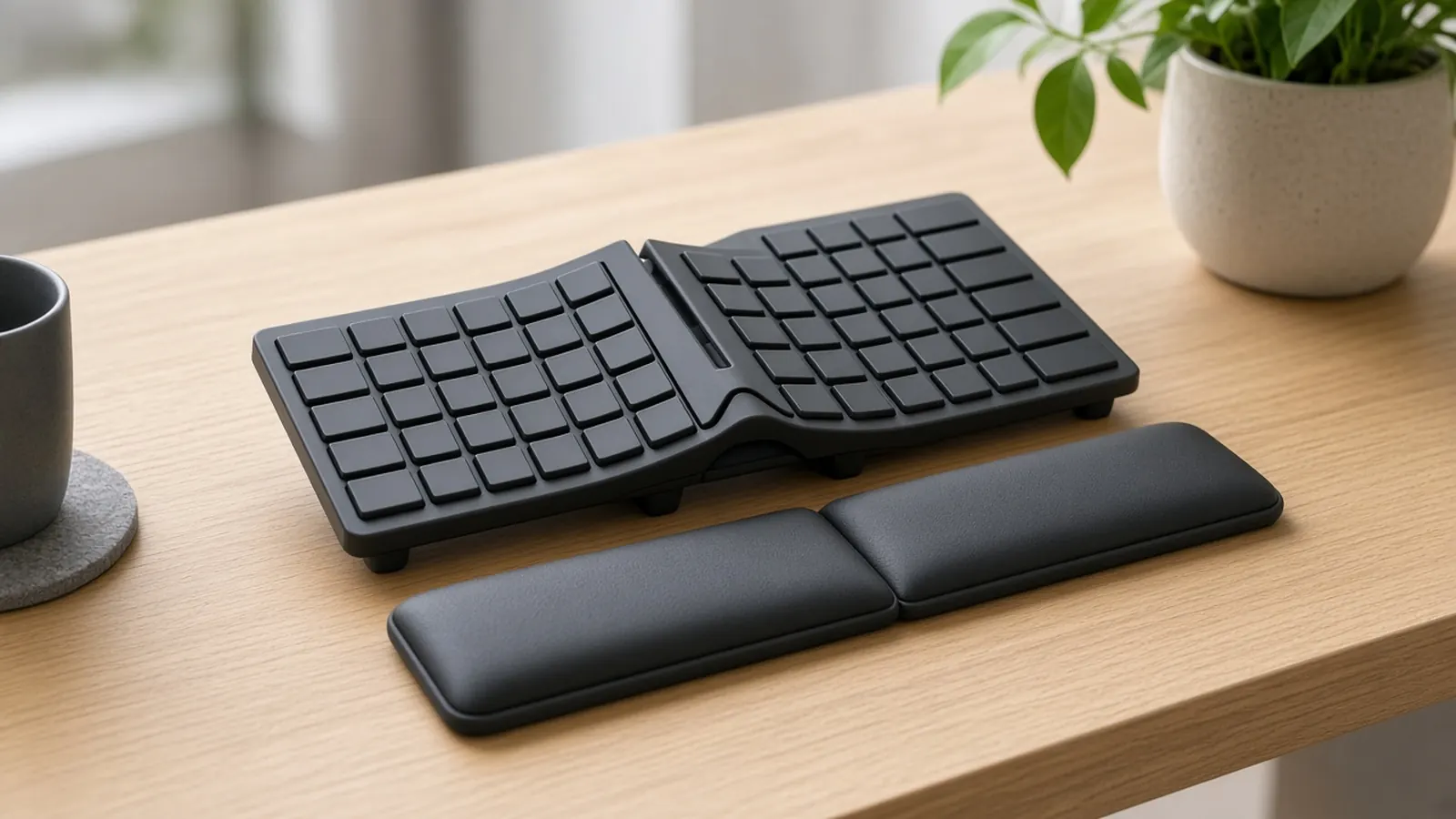
At a glance
| Product | Type | Connection | Price at Amazon |
|---|---|---|---|
| Logitech Wave KeysBest overall | Non-split, wave | Bluetooth / Logi Bolt | Check price for Logitech Wave Keys |
| Kinesis mWaveBest Sculpt-style | Partially split | Bluetooth | Check price for Kinesis mWave |
| Kinesis Freestyle Edge RGB+Best fully split | Fully split | Wired | Check price for Kinesis Freestyle Edge RGB+ |
| Perixx Periboard-335Best budget split | Partially split | Wired | Check price for Perixx Periboard-335 |
Prices aren't shown because they change often; “Check price” opens the current listing. Availability and shipping vary by region; links go to US stores.
The short answer
If your wrists ache but you don’t want to relearn typing, start with the Logitech Wave Keys. Its curved, raised center and cushioned wrist rest gently improve hand position. If you miss the Microsoft Sculpt, the Kinesis mWave brings back that tented, split shape with mechanical keys. For the most adjustment, the Kinesis Freestyle Edge RGB+ splits fully, tents up to 15° and has no number pad. The Perixx Periboard-335 is a cheaper, wired split option.
What to look for
- Key layout or split. Angled or split layouts let your forearms and elbows rest more naturally.
- Flat or negative slope. Avoid boards that tilt up at the back.
- Wrist rest. Support that doesn’t create a pressure point under your wrist.
- Tenting. Raising the middle slightly reduces forearm twisting.
- Small or no number pad. This keeps your mouse closer to your body.
A good keyboard works best with the rest of your desk set up correctly, starting with the mouse: see my ergonomic mice for wrist pain. See my guides to dual monitor arms and footrests, and if keyboard clatter or household noise breaks your focus, my noise-cancelling headphones for home office roundup can help.
Working from a laptop? Raise it with one of my laptop stands and type on a separate keyboard.
Seat height affects wrist angle too. See my ergonomic office chairs under $300.
My picks in detail
1. Logitech Wave Keys
by Logitech
- Type
- Non-split, wave
- Connection
- Bluetooth / Logi Bolt
- Wrist rest
- Integrated
Wirecutter's top pick: a gentle wave shape and curved rows angle your wrists more naturally without a split, so there's no relearning. Integrated cushioned wrist rest, Bluetooth or Logi Bolt.
- No learning curve
- Comfortable integrated wrist rest
- Compact for an ergonomic board
- Mac version available
- Has a (small) number pad that pushes the mouse farther out
- Gentle ergonomics — not as corrective as a split board
- Bolt receiver isn't compatible with older Logitech dongles
Opens Amazon in a new tab. Price and stock can change. Availability and shipping vary by region; links go to US stores.
2. Kinesis mWave
by Kinesis
- Type
- Partially split
- Switches
- Gateron Brown
- Connection
- Bluetooth
Wirecutter's pick for fans of the discontinued Microsoft Sculpt: a one-piece split, tented design with Gateron Brown mechanical switches and Bluetooth.
- More pronounced split and tent than the Wave
- One-piece — same position every day
- Mechanical switches with deep travel
- Short adjustment period for the split
- No wireless dongle — Bluetooth only
- Wirecutter saw occasional missed right-spacebar presses
Opens Amazon in a new tab. Price and stock can change. Availability and shipping vary by region; links go to US stores.
3. Kinesis Freestyle Edge RGB+
by Kinesis
- Type
- Fully split
- Tenting
- 5/10/15°
- Connection
- Wired
A fully split mechanical keyboard that meets Wirecutter's ergonomic criteria: flat slope, included tenting at 5/10/15°, no number pad, programmable. Halves separate up to 20 inches.
- Fully split for wider shoulders
- Tenting lifts and wrist rests included
- No number pad
- Hot-swappable switches
- About two weeks to get comfortable
- Bulky; thick braided cables
- Wired only
Opens Amazon in a new tab. Price and stock can change. Availability and shipping vary by region; links go to US stores.
4. Perixx Periboard-335
by Perixx
- Type
- Partially split
- Connection
- Wired
- Low price for a split mechanical board
- Large built-in wrist rest
Wirecutter calls this wired, partially split mechanical keyboard a good budget Sculpt-style alternative, with a large built-in wrist rest and risers for negative tilt.
- Low price for a split mechanical board
- Large built-in wrist rest
- Negative-tilt risers
- Wired only
- Listed as 'worth considering' rather than a main pick
Opens Amazon in a new tab. Price and stock can change. Availability and shipping vary by region; links go to US stores.
Frequently asked questions
Will an ergonomic keyboard fix my wrist pain?
It can reduce strain, but it isn't a cure. Experts Wirecutter interviewed stress taking breaks, changing your posture and setting up your whole desk correctly. If you have persistent pain, numbness or tingling, see a doctor or physical therapist.
Split or non-split?
Start with a non-split wave design like the Logitech Wave Keys if you don't want to relearn typing. Choose a split keyboard if your shoulders feel hunched or you have a broader frame. Expect about two weeks to adjust.
Why does a flat or negative slope matter?
Keyboards that rise toward the back bend your wrists upward, which strains the tendons and nerves. A flat or slightly negative tilt keeps your wrists straighter.
Why avoid a number pad?
For right-handed mouse users, a number pad pushes the mouse farther out and rotates your shoulder. Tenkeyless or split boards keep the mouse closer.